
Material Variants
One model. More possibilities.
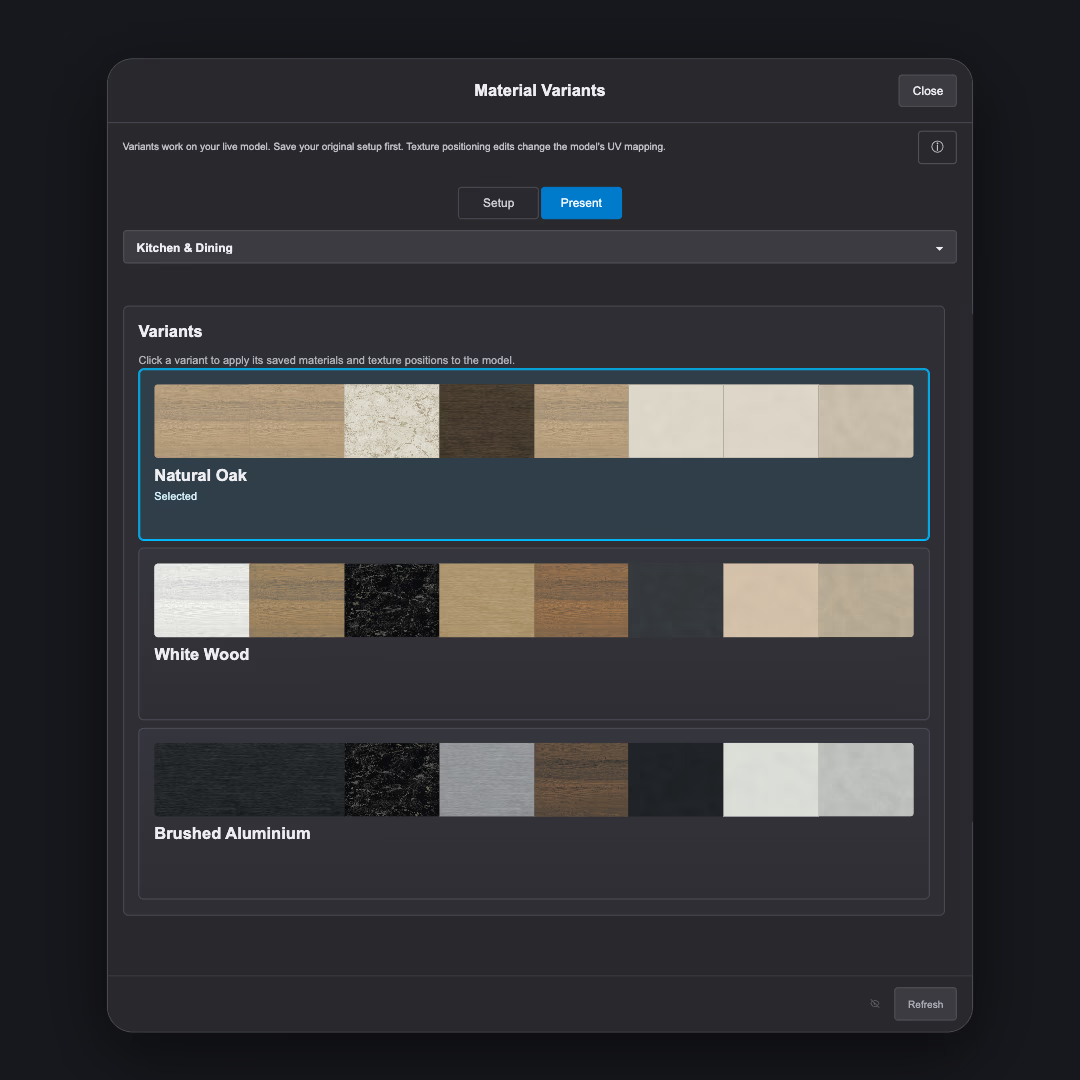
New in 2027: save and compare material setups in one SketchUp model. Present alternative finishes with their saved texture positions.
Explore Material VariantsUltimate Material Manager 2027
Built on native SketchUp materials and operations. Assign and replace materials, position textures and compare finishes.
Made for SketchUp 2027 macOS & Windows
What’s new in 2027
Material Variants
New in 2027: save and compare material setups in one SketchUp model. Present alternative finishes with their saved texture positions.
Explore Material Variants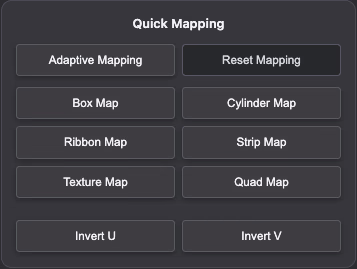
Texture Transform
Position, rotate, and scale your textures with precision. Now start from a selected group or component, as well as individual faces.
Explore Texture Transform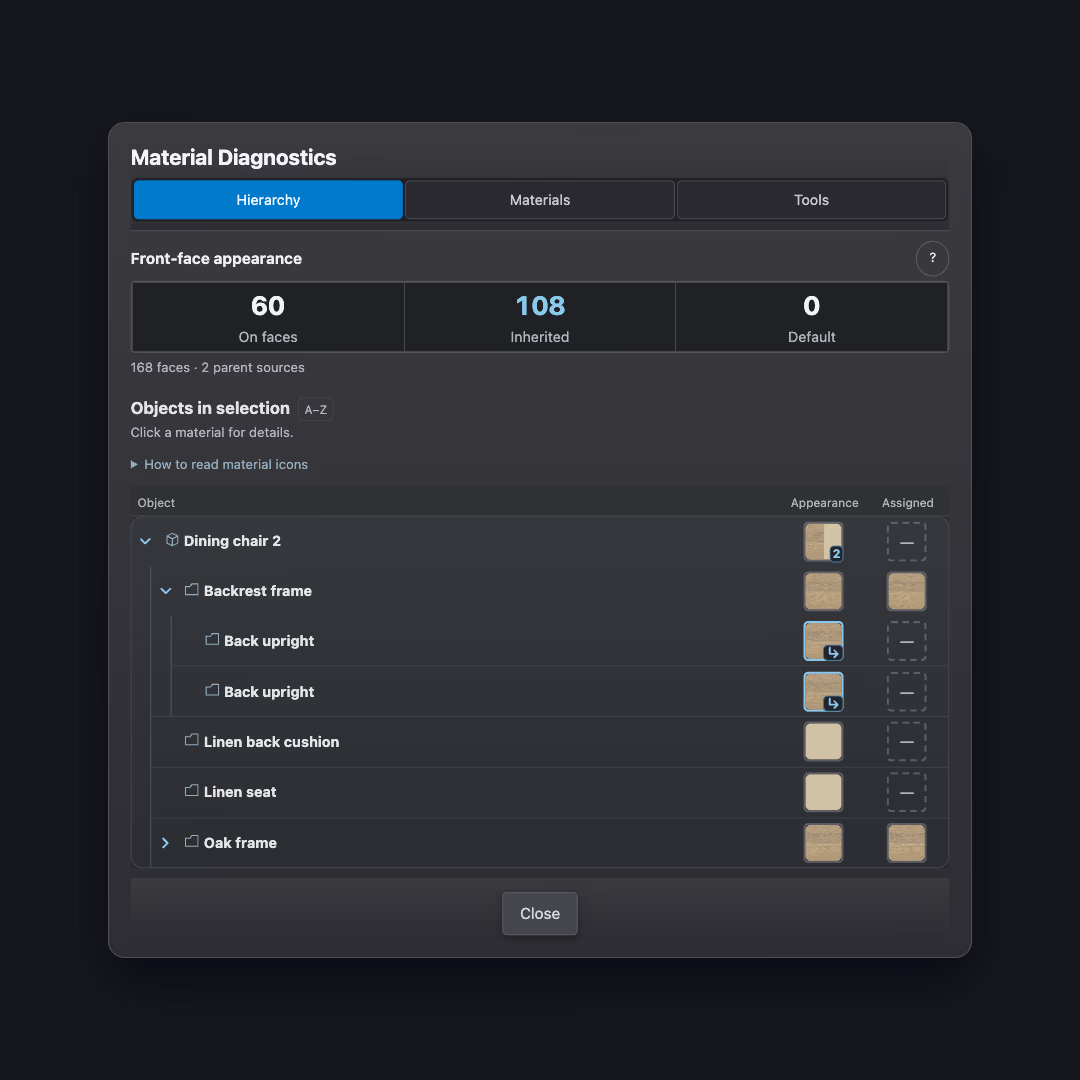
Material Diagnostics
The new Hierarchy, Materials and Tools views show direct paint, inherited finishes and assignment locations before you make changes.
Explore Material DiagnosticsThe essentials, all together
The tools you reach for every day. In one place.
Your model’s materials, in one place
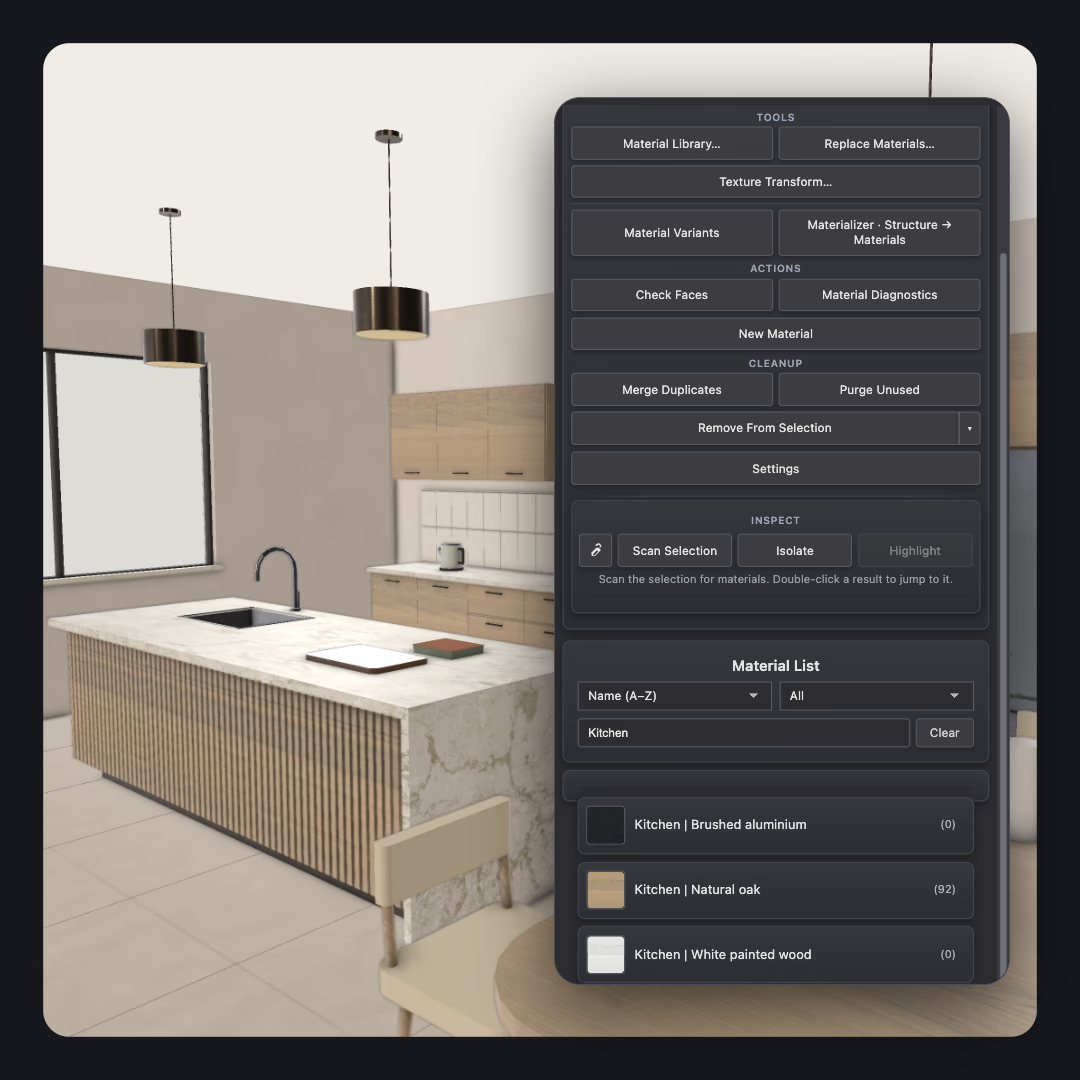
Browse the materials in your model with clear previews and usage counts. Search, sort, and filter the list, then open a material card to work with that finish.
Prepare for visualization
Create and assign materials from group, component and tag names. Review the plan before applying it to your selection or model.
Make changes with less repetition
Update materials across your project with batch replacement. Assign where you intend, merge duplicates, and remove unused materials from one workspace.
Keep your best materials close
Browse, organize, and reuse your material collection. Bring the finishes you rely on into your model, then refine texture, color, and supported PBR properties.
Try UMM in SketchUp
Try the tools on the included Kitchen scene. Download UMM, open it in SketchUp, and choose Explore Demo to get started.
No license required for the demo. Activate a license to use UMM on your own projects.
Pricing
$19.99
per month
Best for short projects
Most popular
$199
per year
Save 17% vs monthly
$499
one-time
One-time access for supported versions
UMM 2027 compatibility: SketchUp 2025–2027 (macOS & Windows).
Behavior may vary slightly depending on OS version and system configuration.
SketchUp license not included. Materials not included.
By purchasing, downloading, or using Ultimate Material Manager, you agree to our End User License Agreement (EULA)
Secure checkout and payment processing are provided by Lemon Squeezy
Running a studio or team? Purchase one license per user.
FAQ
UMM 2027 supports SketchUp 2025–2027 on macOS and Windows. PBR display depends on the host version and viewing style.
Install the .rbz file through SketchUp’s Extension Manager → Install Extension. Open Extensions → Ultimate Material Manager…, enter your License Key, and choose Activate License. See Start here in the 2027 documentation.
Choose Explore Demo in the licensing dialog to open the supplied Demo Kitchen. The demo operates on that model; added or imported content is excluded.
Use Licensing → Deactivate this device on the computer you are leaving. If the activation dialog offers Release oldest activation, you can review that option there. Check your plan for its activation allowance.
Save and send the complete SKP with the intended look applied. Your collaborator sees the actual materials and texture positions without UMM. UMM is needed to switch the saved variants. Avoid cleanup that removes materials needed by inactive variants.